
LINKEDIN HEADSHOTS

AI Headshots for LinkedIn — Get Noticed by Recruiters

LinkedIn profiles with professional headshots get 14x more views. Our AI headshot generator creates studio-quality LinkedIn photos in minutes — no photographer, no scheduling, no $300+ bill. Upload your photos and get 100+ LinkedIn-ready headshots in just 2 hours.

See LinkedIn Examples

Trusted by 50,000+ professionals on LinkedIn

Why Your LinkedIn Photo Matters

The numbers don't lie — a professional LinkedIn headshot significantly impacts your career opportunities

14x
More Profile Views
Profiles with professional headshots receive 14x more views
36%
Higher Response Rate
Connection requests with professional photos are more likely to be accepted
21x
More Search Appearances
Professional profiles rank higher in LinkedIn search results
94%
First Impressions
Recruiters say a photo is important for evaluating candidates
BENEFITS

How AI Headshots Boost Your LinkedIn Success

Stand Out to Recruiters

LinkedIn profiles with professional headshots get noticed first. Our AI creates images that catch attention while maintaining professionalism.

Boost Your Profile Ranking

Complete profiles with quality photos rank higher in LinkedIn search. Appear in more searches for your skills and expertise.

Increase Connection Acceptance

People are more likely to connect with someone who looks professional and approachable. Build your network faster.

Build Professional Credibility

Your photo is your first impression on LinkedIn. A studio-quality headshot signals competence and attention to detail.

LINKEDIN PHOTO TIPS

LinkedIn Headshot Best Practices

Our AI automatically follows these best practices to create the perfect LinkedIn photo

Do's

  • Use a recent photo that looks like you
  • Make your face take up 60% of the frame
  • Wear professional attire appropriate for your industry
  • Use a simple, uncluttered background
  • Smile naturally and make eye contact

Don'ts

  • Use an outdated photo from years ago
  • Use a full-body or distant shot
  • Wear casual clothes or party attire
  • Use busy or distracting backgrounds
  • Look away from the camera or appear unapproachable
PRICING

No monthly subscriptions

Pay once, get your headshots. No hidden costs, no ongoing fees - just simple, transparent pricing.

Basic

$29

Perfect for individuals getting started

30 HD Headshots
2 Professional AI styles
High-quality professional backgrounds
Done in 10 minutes or less
Commercial usage rights included
Standard

$39

Most popular choice for professionals

60 HD Headshots
5 Professional AI styles
20 AI Edit Credits for customization
Premium backgrounds and poses
Done in 10 minutes or less
Commercial usage rights included
Priority support included
Premium

$59

Ultimate package for maximum variety

120 HD Headshots
10 Professional AI styles
50 AI Edit Credits for customization
Exclusive premium backgrounds
Done in 10 minutes or less
Commercial usage rights included
Priority support
FAQ

LinkedIn Headshot Questions

What makes a good LinkedIn headshot?

A good LinkedIn headshot is professional, recent, and shows your face clearly. Your face should take up about 60% of the frame, you should wear industry-appropriate attire, and have a simple background. Our AI automatically optimizes for these LinkedIn best practices.

Can I use AI headshots on LinkedIn?

Yes! AI-generated headshots are widely accepted on LinkedIn. Many executives, job seekers, and professionals use AI headshots. LinkedIn does not prohibit AI-generated photos as long as they accurately represent your appearance.

How do AI headshots compare to professional LinkedIn photographers?

AI headshots cost $29-59 compared to $200-500+ for professional photography. You get 100+ options in 2 hours instead of waiting 2-4 weeks. Many users say they cannot tell the difference between AI and studio photos.

What photo size does LinkedIn require?

LinkedIn recommends photos between 400x400 and 7680x4320 pixels. Our AI headshots are generated at high resolution (typically 1024x1024) which exceeds LinkedIn requirements and looks great on any device.

How do I choose the best LinkedIn headshot from my AI results?

Look for photos where you appear approachable and confident, your face is well-lit and in focus, and the background is professional. We provide 100+ variations so you can find the perfect one for your personal brand.

Will my AI LinkedIn headshot look natural?

Yes! Our AI learns your unique facial features from the photos you upload, creating realistic headshots that look like you had a professional photoshoot. Most people cannot distinguish AI headshots from traditional photography.

Can I use my AI headshot for other platforms too?

Absolutely! Your AI headshots work great for all professional platforms including company websites, email signatures, Zoom profiles, and business cards. We provide high-resolution images suitable for any use.

How often should I update my LinkedIn headshot?
LinkedIn recommends updating your photo every 1-2 years or whenever your appearance changes significantly. With AI headshots, you can easily get new photos whenever needed for a fraction of professional photography costs.
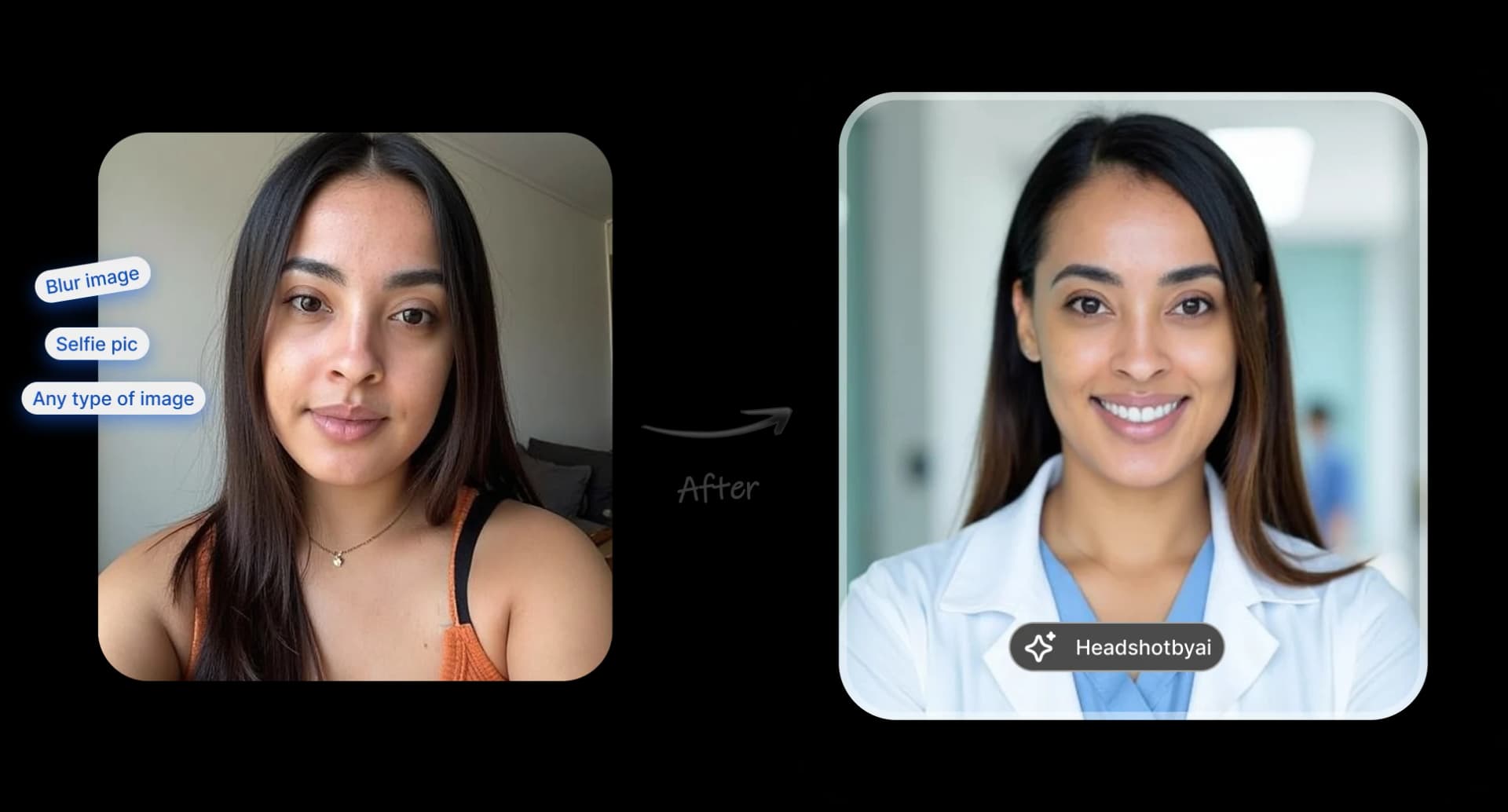
Before and after headshot transformation

Let's generate your Professional Headshot in 10 minutes or less